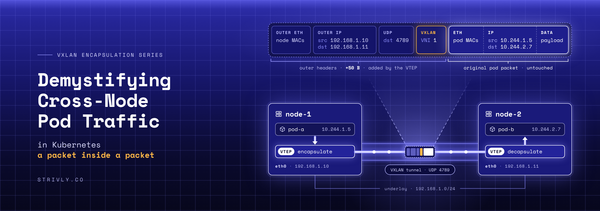
VXLAN Encapsulation Series: Demystifying Cross-Node Pod Traffic in Kubernetes - Part 2
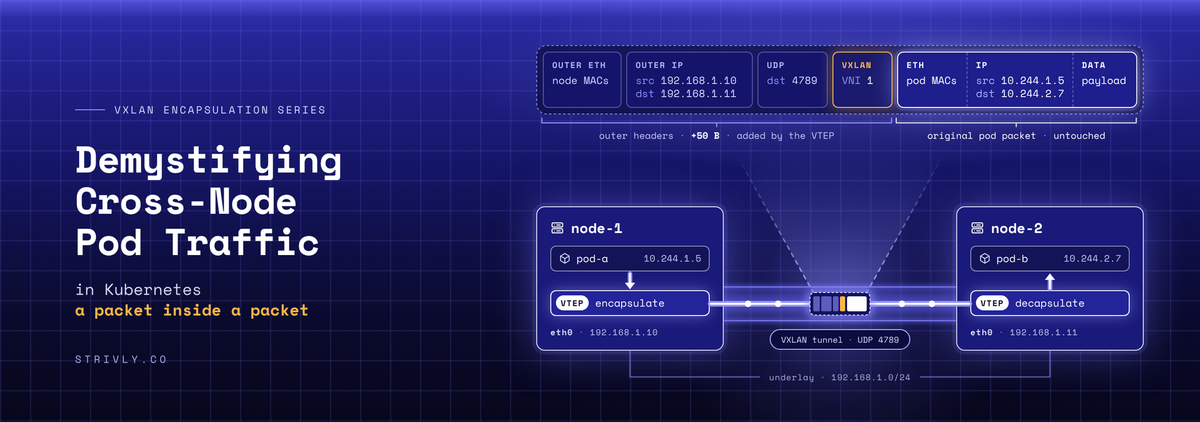
Welcome back to Part 2 of our series on Extensible Virtual LAN (VXLAN)!
In Part 1, we broke down the core concepts behind overlay networks. Now, it’s time to move from theory to execution.
When a pod talks to a pod on another node, Cilium wraps the packet in a 50-byte VXLAN envelope. This lab lets you see that envelope with your own eyes, on your laptop, in about 15 minutes. You'll build, capture, read the bytes.
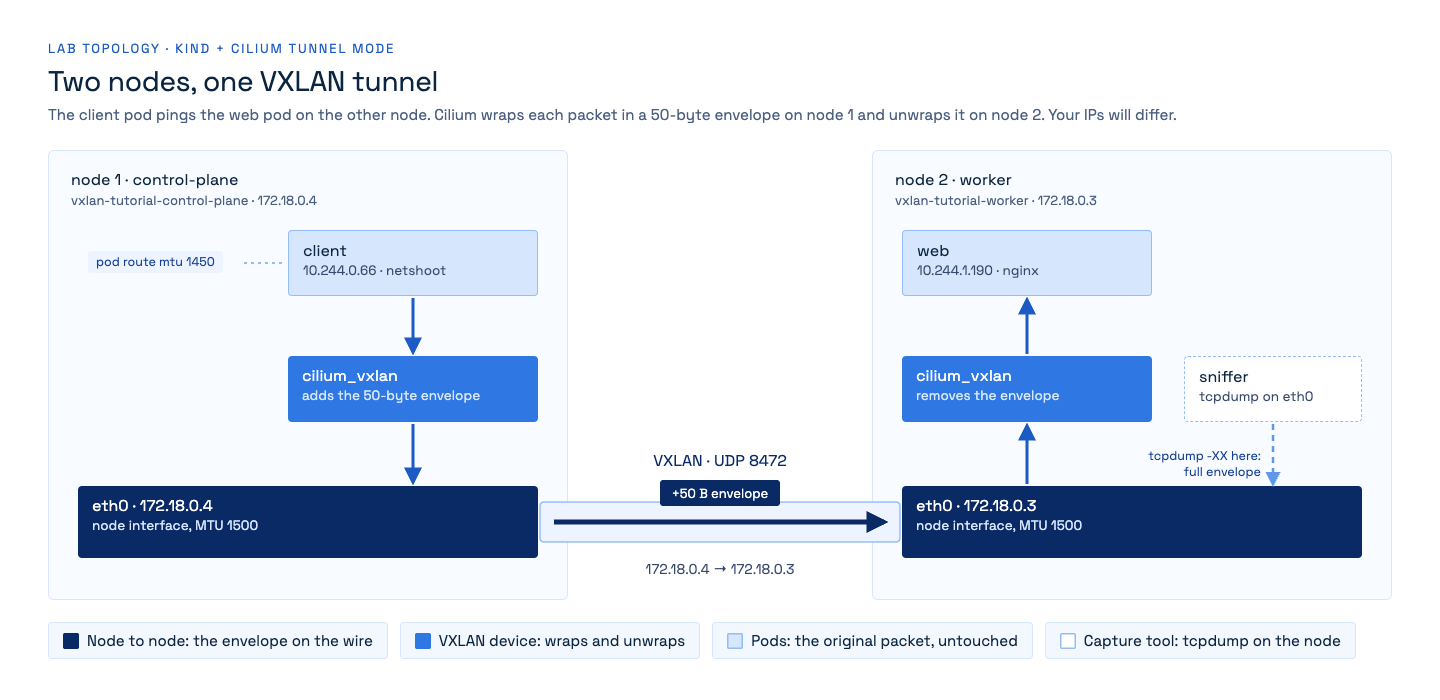
kind, kubectl, helm, and a bash or zsh shell (on Windows, run everything inside WSL2). Every output below is a real capture from this lab (kind v0.30.0, Cilium 1.20.4, Docker Desktop on an Apple Silicon Mac). Your IPs, MAC addresses and identity numbers will differ.Step 1: create a two-node cluster without a CNI
Save this as kind.yaml. Two nodes, so that traffic has a tunnel to cross, and no default CNI, so that Cilium is the only one:
kind: Cluster
apiVersion: kind.x-k8s.io/v1alpha4
name: vxlan-tutorial
networking:
  disableDefaultCNI: true # Cilium will be the CNI
  podSubnet: 10.244.0.0/16
nodes:
  - role: control-plane
  - role: worker
kind create cluster --config kind.yamlThe nodes stay NotReady until a CNI is installed. That is expected.
Step 2: install Cilium in VXLAN mode
helm repo add cilium https://helm.cilium.io --force-update
helm install cilium cilium/cilium --version 1.20.4 -n kube-system \
  --set routingMode=tunnel --set tunnelProtocol=vxlan \
  --set ipam.mode=kubernetes --set MTU=1500 --set operator.replicas=1
kubectl -n kube-system rollout status ds/cilium
What the flags do:
routingMode=tunnelandtunnelProtocol=vxlan: wrap cross-node pod traffic in VXLAN. This is Cilium's default; writing it makes it explicit.ipam.mode=kubernetes: give pods addresses from kind's10.244.0.0/16.MTU=1500: Docker Desktop reports an MTU of 65535 on the nodes' network, a virtual link with no real size limit. Pinning 1500 makes Cilium behave as on a real network. On Linux it changes nothing.
Check that the tunnel is on:
kubectl -n kube-system exec ds/cilium -c cilium-agent -- cilium-dbg status \
  | grep -E 'Cilium:|Routing'
Step 3: deploy a client, a server and a sniffer
Save this as pods.yaml. The client runs on one node and web on the other, so every packet between them crosses the tunnel. The sniffer runs in the worker node's own network namespace (hostNetwork: true), which lets it see the node's wire, eth0:
apiVersion: v1
kind: Pod
metadata:
  name: web
  labels: {app: web}
spec:
  nodeName: vxlan-tutorial-worker
  containers:
    - name: web
      image: nginx:alpine
---
apiVersion: v1
kind: Pod
metadata:
  name: client
spec:
  nodeName: vxlan-tutorial-control-plane
  containers:
    - name: client
      image: nicolaka/netshoot
      command: ["sleep", "infinity"]
---
apiVersion: v1
kind: Pod
metadata:
  name: sniffer
spec:
  nodeName: vxlan-tutorial-worker
  hostNetwork: true
  containers:
    - name: sniffer
      image: nicolaka/netshoot
      command: ["sleep", "infinity"]
kubectl apply -f pods.yaml
kubectl wait --for=condition=Ready pod/web pod/client pod/sniffer --timeout=180s
WEB=$(kubectl get pod web -o jsonpath='{.status.podIP}')
kubectl get pods -o wide
172.18.0.x are the nodes, the "physical" network. 10.244.x.x are the pods.Step 4: catch one ping in the tunnel
Start a capture on the worker's eth0, then send one ping from client to web:
kubectl exec sniffer -- tcpdump -nni eth0 -c 2 'udp port 8472 and udp[39] = 1 and udp[32:2] = 84' &
sleep 2; kubectl exec client -- ping -c 1 $WEB > /dev/null; wait
The filter keeps only the VXLAN packets that carry your ping:
udp port 8472: VXLAN, on the port Cilium uses.udp[39] = 1: the inner packet is ICMP.udp[N]counts bytes from the start of the UDP header: 8 bytes of UDP, 8 of VXLAN and 14 of inner Ethernet lead to the inner IP header, whose byte 9 is the protocol (8 + 8 + 14 + 9 = 39).udp[32:2] = 84: the inner IP packet is 84 bytes long, the sizepingsends by default. Cilium's own health checks cross the tunnel too, and some of them are pings, but only 52 bytes long: this test drops them.
Your terminal also prints a few lines that are left out below: the shell's background-job lines and tcpdump's listening on eth0 ... and 2 packets captured. You can ignore them.

Two lines per packet:
- The first line is the envelope. It goes from node to node (
172.18.0.4to172.18.0.3), on UDP port 8472. This is all the network sees. - The second line is the original packet, from pod to pod, untouched inside.
Step 5: read the envelope byte by byte
Ask tcpdump for the raw bytes with -XX:
kubectl exec sniffer -- tcpdump -nni eth0 -c 1 -vv -XX \
  'udp port 8472 and udp[39] = 1 and udp[32:2] = 84' &
sleep 2; kubectl exec client -- ping -c 1 $WEB > /dev/null; wait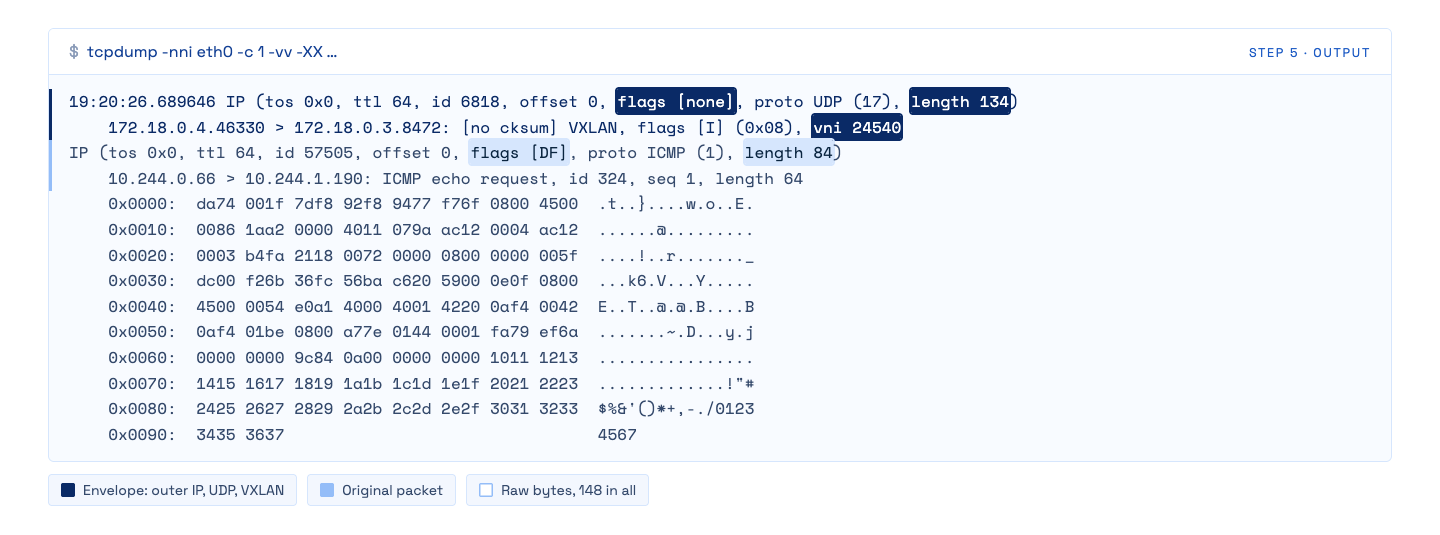
148 bytes on the wire. Here are the same bytes, coloured by layer:
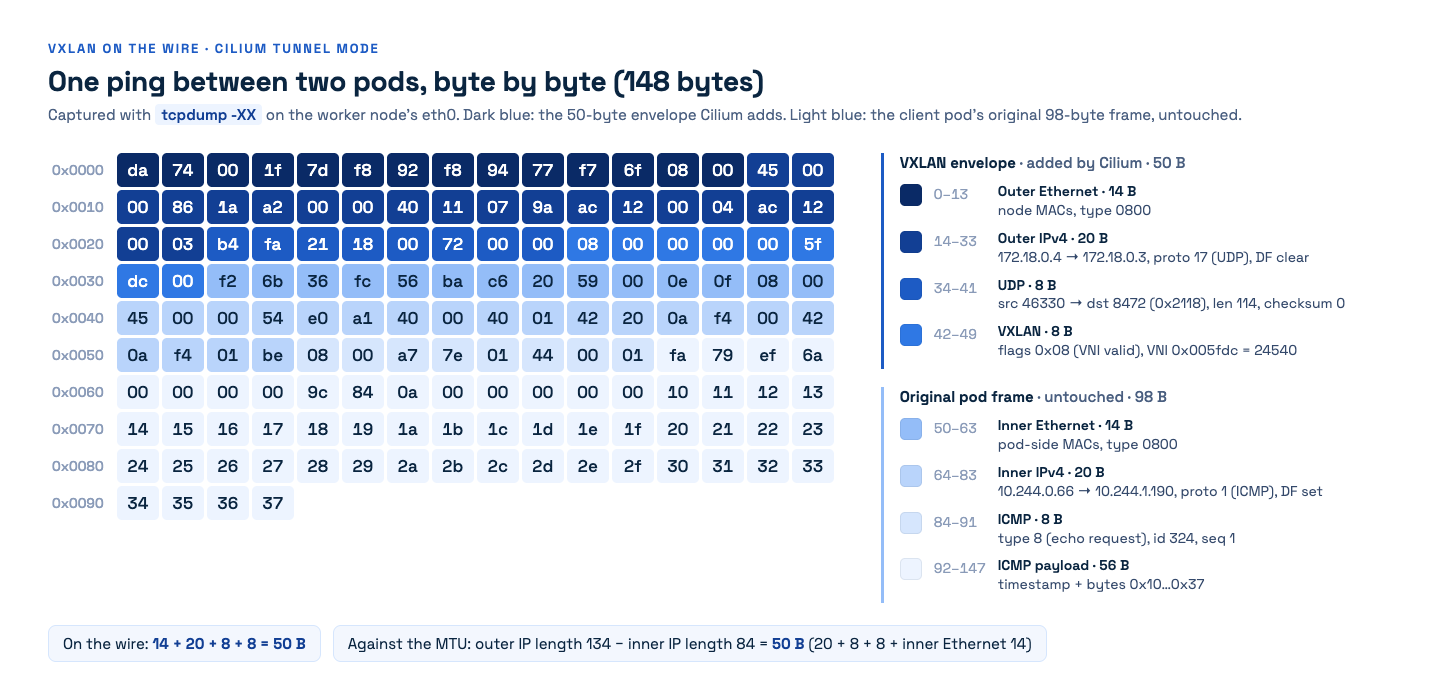
Figure 1. One ping as it crosses the wire. Warm colours: the envelope added by Cilium. Cool colours: what the client pod sent.
| Bytes | Layer | What the bytes say |
|---|---|---|
| 0–13 | Outer Ethernet | da74001f7df8 worker's MAC, 92f89477f76f control-plane's MAC, 0800 = IPv4 |
| 14–33 | Outer IPv4 | 45 version 4, 0086 = 134 bytes long, flags 0000 = DF not set, 11 = UDP, ac120004 = 172.18.0.4 → ac120003 = 172.18.0.3 |
| 34–41 | UDP | b4fa = source port 46330, 2118 = destination port 8472, 0072 = 114 bytes, 0000 = no checksum |
| 42–49 | VXLAN | 08 = flag I ("the VNI is valid"), 000000 reserved, 005fdc = VNI 24540, 00 reserved |
| 50–63 | Inner Ethernet | the client pod's frame starts here: MACs of the two ends of the pod's link, 0800 = IPv4 |
| 64–83 | Inner IPv4 | 0054 = 84 bytes long, 4000 = DF set, 01 = ICMP, 0af40042 = 10.244.0.66 → 0af401be = 10.244.1.190 |
| 84–91 | ICMP | 08 = echo request, 0144 = id 324, 0001 = sequence 1 |
| 92–147 | Payload | the 56 bytes ping sends: a timestamp, then 10 11 12 … 37 |
Three things to notice:
- The envelope is exactly 50 bytes: 14 + 20 + 8 + 8. The outer IP packet is 134 bytes, the inner one 84: the difference is 50 again (20 + 8 + 8, plus the inner Ethernet header that now travels as payload).
- DF is set inside, not outside. The inner packet forbids fragmentation (
4000); the envelope does not (0000). - The VNI is not a network number: it is the sender's identity. Cilium writes the security identity of the sending pod into the VNI. Ask the Cilium agent on the client's node:
CLIENT=$(kubectl get pod client -o jsonpath='{.status.podIP}')
CIL=$(kubectl -n kube-system get pods -l k8s-app=cilium \
      --field-selector spec.nodeName=vxlan-tutorial-control-plane \
      -o jsonpath='{.items[0].metadata.name}')
kubectl -n kube-system exec $CIL -c cilium-agent -- cilium-dbg endpoint list \
  | grep -wE "ENDPOINT|$CLIENT"
The IDENTITY column, 24540, is the client pod's identity: the VNI of the request. The reply carried VNI 51602, the identity of web. The receiving node learns who sent the packet just by reading the envelope.
Step 6: see where the 50 bytes are paid
Because every cross-node packet gains 50 bytes, a pod may only send 1500 − 50 = 1450 bytes if the wire carries 1500. Cilium writes that limit on the pod's route, not on its interface:
kubectl exec client -- ip -4 route
A full 1450-byte pod packet becomes a 1500-byte outer IP packet: the wire's 1500-byte MTU is exactly full.
Step 7: clean up
kind delete cluster --name vxlan-tutorialTakeaways
- The 50 bytes are the VXLAN envelope: 20 + 8 + 8 + 14 inner Ethernet against the MTU, 14 + 20 + 8 + 8 on the wire. Every cross-node pod packet pays them.
- Cilium keeps the pod link at the device MTU and writes 1450 on the pod's route.
- The VNI is not a segment number. Cilium writes the sender's security identity into it, and the receiving node reads policy from the envelope.

What’s next?
In Part 3, we'll use Kubeshark to watch the same traffic. Stay tuned!